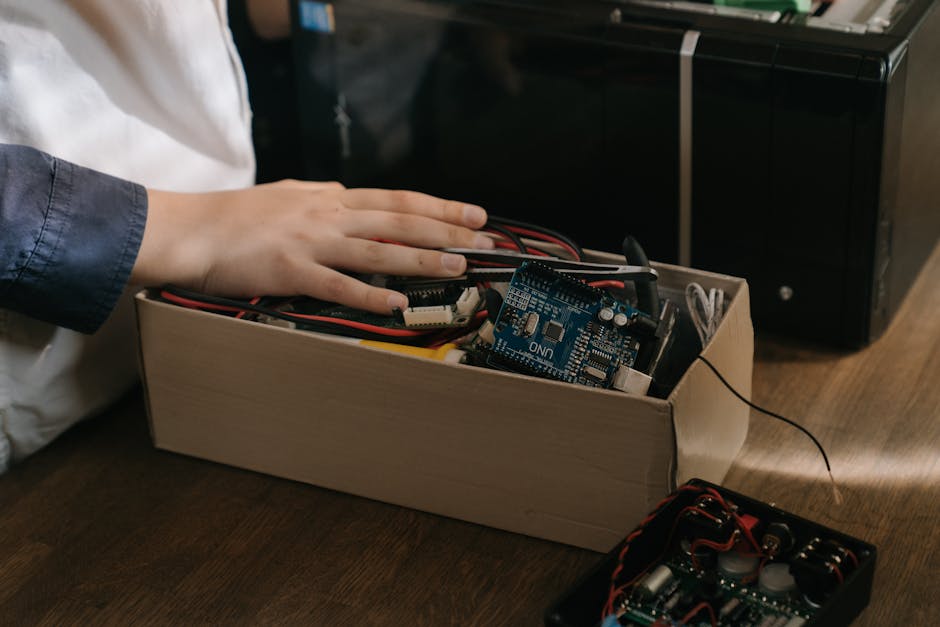
Top packing mistakes that damage electronics: how to avoid costly damage when moving
If you have ever unpacked a TV, laptop, games console, or monitor and felt that small jolt of worry, you already know the stakes. The top packing mistakes that damage electronics are usually simple, avoidable, and expensive when they go wrong. A loose cable here, a bit of bubble wrap there, and suddenly a screen is scratched, ports are bent, or something just refuses to power on. Not ideal, to put it mildly.
This guide breaks down the most common packing errors, why they cause damage, and what to do instead. It is written for anyone moving house, shifting office kit, posting a device, or simply trying to store electronics safely for a few weeks. We will go through the practical steps, the best materials, common myths, and the kind of small mistakes that people only notice after the van door has already closed. Truth be told, electronics are less forgiving than most other belongings.
For broader moving help, you may also find our pages on packing and unpacking services and removal services useful while planning the move.
Why Top packing mistakes that damage electronics matters
Electronics fail in moving boxes for surprisingly ordinary reasons. A device does not need to be dropped off a staircase to be damaged. Vibration in transit, pressure from overpacked cartons, trapped moisture, static electricity, and poor cable management can all cause problems. And once damage happens, it is often a combination of issues rather than one dramatic accident. That makes the root cause easy to miss.
The main reason this matters is simple: electronics are dense, delicate, and often expensive to replace. A cardboard box that seems "fine" for books can be a bad choice for a desktop computer or speaker system. Screens crack under point pressure. Hard drives dislike shock. Charging ports and connectors bend if they are left exposed. Even something as harmless-looking as a charger brick can rub against a device casing and leave scratches.
There is also the hidden cost of disruption. If your router, work laptop, monitor, or printer arrives damaged, you are not just looking at repair costs. You may lose access to files, remote work, entertainment, schoolwork, or business operations. In an office move, the knock-on effect can be even bigger. One mishandled monitor is annoying; a row of damaged devices can throw off a whole relocation schedule.
And let's face it, moving day already has enough going on. No one wants to be testing a dead console at 10pm while surrounded by half-open boxes and a kettle that has vanished into the "miscellaneous" pile.
How Top packing mistakes that damage electronics works
Damage usually happens because electronics are exposed to one or more of four forces: impact, compression, movement, and environmental exposure. If you understand those forces, the mistakes become easier to spot.
Impact
Impact is the obvious one. A box is dropped, a bag is thrown into a van, or a corner gets knocked against a wall. The internal components can shift even if the outer shell looks fine. Screens are especially vulnerable because the damage may not show until later as a spreading crack or dead pixels.
Compression
Compression happens when a box is too tightly packed, stacked under heavy items, or sealed with no cushioning space. A laptop can survive a short jolt but still suffer if pressure is applied across the keyboard or lid. Speakers, tablets, monitors, and routers often get crushed this way. Not dramatic. Just slowly, quietly, badly.
Movement
Movement inside the box is one of the most common issues. If an item can slide, bounce, or twist, every bump on the road adds stress. That is why a loosely wrapped cable can scratch a screen and why a charger left tucked beside a camera body can become a little damage machine.
Environmental exposure
Electronics also dislike damp, dust, cold-to-warm temperature swings, and static. A device moved from a chilly hallway into a warm van can collect condensation if it is packed badly or sealed too early. A plastic bag can create static risk if used carelessly. None of this sounds dramatic, but electronics are very much the "small issue, big consequence" type.
Key benefits and practical advantages
Good packing is not just about avoiding breakage. It makes the whole move smoother. The difference is noticeable the moment you start unpacking.
- Less risk of repair costs - safer packaging reduces the chance of cracked screens, bent connectors, and internal damage.
- Faster setup at the other end - labelled cables and grouped accessories save time when everything needs reconnecting.
- Better protection for data and hardware - devices are less likely to suffer shock-related faults or loose parts.
- Cleaner storage - when electronics are boxed properly, they collect less dust and moisture.
- Reduced stress - you know where things are, what belongs together, and what needs testing first.
For office moves and multi-device homes, the practical gain is often bigger than people expect. A neat packing method makes devices easier to inventory, easier to unpack, and easier to troubleshoot if one item does need attention.
Expert summary: the best packing method is not the flashiest one. It is the one that stops movement, distributes pressure evenly, keeps moisture out, and makes every cable and accessory easy to identify later.
Who this is for and when it makes sense
This advice is useful for almost anyone moving electronics, but it matters most in a few common situations. If you are packing a desktop computer, monitor, TV, gaming setup, hi-fi equipment, networking kit, or work-from-home devices, you will want to pay attention. These are the items that tend to be bulky, fragile, and awkwardly shaped at the same time. A nasty combination, really.
It also makes sense if you are:
- moving house across London or anywhere else in the UK
- sending a device into storage between tenancies
- relocating office equipment
- giving electronics to a family member or colleague
- preparing for refurbishment and temporarily clearing rooms
- using a professional man and van or a larger removal team for transport
If your move is small and you are carrying a phone charger or two, you do not need a full industrial packing operation. But if you are moving several screens, computers, or fragile peripherals, a more careful method pays off immediately. That is where people often decide to book help through a service such as home moves or office relocation services, especially when time is tight.
Step-by-step guidance
Here is a straightforward way to pack electronics without the usual headaches. It is not complicated, but it does need a bit of discipline. The good news? Once you do it once, the process becomes much easier.
1. Back up and power down properly
Before anything goes in a box, back up important files and shut devices down fully. Do not rely on sleep mode. Unplug them from the mains, remove batteries if the device design allows it, and let items cool before packing. Warm devices sealed in tight packaging can trap moisture.
2. Photograph the setup
Take a few quick pictures of how cables are connected before unplugging anything. This takes two minutes and saves a lot of guesswork later. It is one of those tiny jobs that feels unnecessary until you need it. Then it feels genius.
3. Label cables and accessories
Use small labels or tape to mark chargers, adapters, HDMI leads, power bricks, and peripheral cables. If you have multiple similar items, write what they belong to: "monitor," "router," "PS5," "printer." Keep related parts together in one bag or box.
4. Use the right packaging size
Choose a box that fits the device snugly but leaves room for protective padding. Too large, and the item shifts around. Too small, and pressure builds on corners and sockets. For screens and laptops, the original box is often the best option if you still have it. If not, use strong double-walled cartons and proper cushioning.
5. Wrap each item individually
Wrap devices separately using anti-static material where suitable, then add cushioning around the wrapped item. Avoid letting metal parts, charger heads, or hard plastic edges press directly against screens or polished surfaces.
6. Protect screens and fragile surfaces
For TVs, monitors, tablets, and laptops, add an extra layer of flat protection across the screen face. Never place pressure on the centre of a screen. Keep the screen upright when possible and avoid stacking anything on top. If the box says "fragile," great. But the label alone does not stop gravity. Sadly.
7. Fill empty spaces correctly
Use packing paper, foam inserts, air cushions, or other non-abrasive filler to stop movement. The goal is to remove wobble without crushing the item. A packed box should feel stable when you gently shake it. Not stuffed to bursting, just secure.
8. Keep heavy items separate
Power supplies, speakers, and external drives can be packed with the device they belong to, but avoid letting them sit directly on top of a fragile item. Heavier accessories should go in their own section or a separate box if needed.
9. Seal, label, and orient the box
Seal the carton properly with strong tape and mark the top side clearly. Add a brief note like "electronic equipment," "fragile," or "this side up" where appropriate. Labels are not magic, but they do help everyone handle the box with a bit more care.
10. Keep packed electronics in a safe loading position
During the move, keep boxes out of wet areas, direct sunlight, and spaces where they can be crushed by heavy furniture. If you are using a professional mover, ask for electronics to be loaded last and unloaded first where practical. That small detail can make a real difference.
Expert tips for better results
There are a few practical habits that separate a decent pack from a truly safe one. These are the details people often skip because they feel minor. Then, of course, they become the reason something goes wrong.
- Keep original packaging if you can. Manufacturers usually design it for a snug fit and shock absorption.
- Use anti-static bags for sensitive components. This matters more for computer parts, drives, memory, and internal components than for a basic charger.
- Never use loose newspaper on screens. It can transfer ink and leave residue. Not worth the mess.
- Avoid bubble wrap directly on hot devices. Let devices cool first.
- Do not tape directly onto surfaces. It can leave marks, pull coatings, or damage finishes.
- Pack small accessories in clear pouches. You will waste less time hunting for tiny adapters later.
- Check weight distribution. A box should not be top-heavy. If it feels awkward to lift, rethink the contents.
If you are moving several rooms' worth of devices, it is often worth separating electronics into categories: work kit, entertainment kit, household smart devices, and spare cables. That makes unpacking much calmer. A bit boring maybe, but very effective.
One more thing. If you are not sure whether an item should travel upright, on its edge, or flat, use the manufacturer guidance if available. When that is not available, choose the position that places the least stress on the screen, lens, or moving parts. Sensible beats clever every time.
Common mistakes to avoid
Here are the big ones. These are the mistakes that show up again and again, and they are usually responsible for avoidable damage.
Packing electronics with no cushioning
Wrapping a device in a towel and hoping for the best is not enough. Towels can compress, shift, and trap moisture. Good for drying hands. Not ideal for protecting a television.
Leaving cables attached
A cable left plugged in can bend ports or strain sockets. It can also pull against the device during transit. Remove everything before packing and store cables separately.
Using one giant box for mixed items
Combining a monitor, charger, remote, headphones, and random desk bits in the same carton sounds efficient. It usually is not. Smaller grouped boxes are safer and far easier to unpack.
Overfilling a box
People do this because they want to save space. But electronics do not appreciate being forced into a cramped container. Pressure damage is a real thing, especially with screens and keyboards.
Underfilling a box
The opposite problem is just as bad. If the item rattles, it will take repeated knocks every time the box moves. That is how a small crack turns into a bigger one.
Ignoring temperature and moisture
Moving an item from a cold room straight into sealed packaging can trap condensation. Let it acclimatise first if you can. Also avoid placing electronics in damp sheds, garages, or vehicle boots for long periods.
Using the wrong tape or tape placement
Too much tape can be awkward to open and may tear packaging in a way that causes a device to shift suddenly during unpacking. Tape should secure the box, not become a battle.
Forgetting to back up data
Sometimes the hardware survives but the storage drive does not. That is why backups matter. It is the boring answer, but the right one.
Tools, resources and recommendations
You do not need a warehouse of specialist kit, but a few good tools help a lot.
| Item | Why it helps | Best use |
|---|---|---|
| Double-walled boxes | Better strength and crush resistance | Laptops, consoles, small desktop items, accessories |
| Anti-static bags | Reduce static risk for sensitive components | Internal parts, drives, memory, small electronics |
| Packing paper or foam | Stops movement without scratching | General cushioning around devices |
| Original packaging | Usually the best fit for fragile kit | TVs, monitors, printers, gaming gear |
| Labels and marker pens | Makes unpacking faster and safer | Cable bundles, boxes, and device sets |
| Heavy-duty tape | Keeps cartons sealed during transport | All electronics boxes |
If you are looking for a moving company that can handle careful lifting and transport as part of a wider move, our pages on removals and insurance and safety may also be helpful. For readers comparing options, it is often sensible to look at service scope, handling experience, and whether the team is used to fragile household or office electronics.
There is also a practical decision to make between doing it yourself and paying for packing support. If you only have one or two devices, DIY can be fine. If you are moving a full home office or a business setup, professional packing may be worth the time saved alone. Sometimes peace of mind is the real product. Bit of a cliche, but true.
Law, compliance, standards, and best practice
For most households, packing electronics is a practical safety task rather than a legal issue. Still, best practice matters. In the UK, moving and handling should be done in a way that avoids unnecessary risk to people and property. That means sensible lifting, secure loading, and careful treatment of fragile equipment. If you are relocating a workplace, you may also need to think about internal procedures for asset tracking, data protection, and equipment handover.
When dealing with company laptops, monitors, and storage devices, the bigger concern is often data security rather than only physical damage. Devices should be logged, packed securely, and handed over according to the organisation's own policies. If equipment contains sensitive data, it is wise to ensure it is locked, tracked, and transported by approved staff or a trusted carrier.
For batteries, chargers, and mixed electrical items, the general rule is to avoid damage, heat, or pressure. Do not pack loose batteries where terminals can touch metal objects. Keep items dry and do not trap warm devices in sealed bags for long periods. Those are simple best practices, not dramatic regulations, but they matter in real life.
If you are uncertain about specialist items such as servers, large screens, lab equipment, or high-value audio gear, it is worth seeking product-specific guidance or using a trained mover. A cautious approach is usually cheaper than a repair bill. Usually.
Options, methods, and comparison table
Not every device needs the same approach. A quick comparison makes the decision easier.
| Method | Best for | Pros | Cons |
|---|---|---|---|
| Original packaging | TVs, monitors, consoles, premium devices | Best fit, strong protection, easy orientation | Not everyone has kept the box |
| DIY packing with standard materials | Basic home electronics, chargers, small accessories | Flexible, inexpensive, easy to adapt | Depends on how carefully it is done |
| Professional packing service | Multiple devices, office equipment, fragile setups | Less stress, better consistency, time-saving | Costs more than doing it yourself |
| Mixed household box packing | Small non-fragile tech accessories only | Quick for low-risk items | Risky for anything delicate |
As a rule of thumb, the more expensive, screen-based, or data-sensitive the device, the more careful the method should be. A box of spare chargers is one thing. A curved monitor is another story entirely.
Case study or real-world example
A fairly common moving-day scenario goes like this. A family is moving from a flat in London and packs two laptops, a games console, a printer, and a large monitor the night before. The laptops are placed in a box with charging cables, a speaker, a lamp, and some kitchen wrap because it "fit nicely." The monitor is wrapped in a blanket and laid flat on top of other boxes in the van. No one means any harm. It just seems efficient at the time.
At the new place, the printer works, but the monitor has a faint crack along one corner and the laptop charger port feels loose. The console is fine, thankfully, but the cable bag is a tangle and the family spends an hour hunting for the right lead. Nothing catastrophic, but enough to ruin the smoothness of the move.
What would have helped? Separate boxes for the monitor and laptops, proper cushioning, the cables kept with each device in labelled pouches, and the monitor transported upright rather than flat under pressure. In other words, a slightly slower packing process would have saved time later. That is the annoying truth of it.
We have seen similar situations with office relocations too, where a small team rushes the pack-up and leaves docking stations, chargers, and screens mixed together. The best outcome usually comes from sorting tech into groups before a single box is sealed. It sounds fussy. It pays off.
Practical checklist
Use this quick checklist before any electronics leave the room.
- Back up important files and close all programs.
- Shut devices down fully and unplug them.
- Take photos of cable connections.
- Label every charger, adapter, and cable bundle.
- Remove batteries where appropriate and safe.
- Let warm devices cool before packing.
- Use the original box if you still have it.
- Wrap items individually with suitable protection.
- Prevent movement inside every box.
- Keep screens upright and pressure-free.
- Do not place heavy items on top of electronics.
- Mark boxes clearly and keep them dry.
- Load and unload carefully, ideally first off the vehicle.
If you can tick every box above, you are already ahead of a lot of people. Not perfect, maybe, but comfortably safer.
Conclusion
The top packing mistakes that damage electronics are usually not dramatic. They are the little things: too much movement, too little cushioning, cables left attached, boxes packed in a hurry, and moisture or pressure ignored. The good news is that every one of those problems can be prevented with a bit of planning and the right materials.
If you remember only one idea, make it this: electronics should be packed so they cannot move, cannot be crushed, and cannot collect damp or static. That simple approach protects most everyday devices far better than a rushed, overfilled box ever will. And once you get into the habit, it becomes second nature. A small effort now saves a lot of stress later.
If you are planning a move and want the process handled with less hassle, explore the options that suit your home or business and choose the level of support that feels right for the job. A careful move is a calmer move, and that matters more than people admit.
Get a free quote today and see how much you can save.
Frequently Asked Questions
What are the most common packing mistakes that damage electronics?
The biggest mistakes are leaving movement inside the box, using poor cushioning, packing cables loosely with the device, stacking heavy items on top, and ignoring moisture or temperature changes. These are simple errors, but they cause a lot of avoidable damage.
Is bubble wrap enough to protect a laptop or tablet?
Bubble wrap helps, but by itself it is not always enough. You also need a strong box, the right amount of fill to stop movement, and protection from pressure on the screen or keyboard. It should be part of a fuller packing method, not the whole method.
Should electronics be packed with their cables attached?
No, not usually. Cables should be unplugged, labelled, and packed separately. Leaving them attached can strain ports, bend connectors, and make the device move around more during transit.
Can I pack electronics in a suitcase instead of a box?
Sometimes, yes, if the suitcase is padded properly and the item is small enough to fit securely. But a suitcase is not automatically safer. If the device can shift, slide, or sit under pressure, a proper box is usually better.
What is the safest way to pack a TV or monitor?
The safest method is to use the original box if available, keep the screen upright, protect the face and corners, and stop all movement inside the carton. Do not place anything heavy on top, and keep it away from moisture during loading and unloading.
Do I need anti-static bags for all electronics?
Not for all of them. They are most useful for sensitive components such as internal computer parts, drives, and some small electronics. For many household devices, strong cushioning and dry storage are more important.
How do I stop electronics from getting damp during a move?
Keep them out of wet areas, do not pack warm devices straight into sealed containers, and avoid leaving them in cold or damp spaces for too long. If a device has been in a chilly room, let it adjust gradually before wrapping it tightly.
Is it okay to put electronics under blankets for moving?
Blankets can help as an outer layer, but they should not be the only protection. They compress too easily and do not hold items firmly in place. Use them as extra padding, not the main barrier.
Should I keep original boxes for electronics?
Yes, if you have the space. Original boxes are often the best-fit option for fragile items like TVs, monitors, speakers, and consoles. They are especially useful if you move again later or need to store the item safely.
When is it worth paying for professional packing help?
It is often worth it when you have multiple screens, office equipment, valuable devices, or not much time to prepare. If the kit is expensive or hard to replace, professional packing can reduce stress and lower the chance of damage.
What should I do if an electronic item looks damaged after the move?
Do not keep forcing it to power on. Check the casing, ports, and screen carefully, and compare the item with the photos you took before packing if you have them. If it is a business device, log the issue straight away so it can be assessed properly.
Are office electronics packed differently from home electronics?
The basics are the same, but office equipment often needs better labelling, asset tracking, and a more formal handover process. There may also be data security requirements if the devices contain work files or customer information.
What is the single biggest mistake people make when packing electronics?
They assume a device is safe just because it looks padded on the outside. In reality, if the item can still move, twist, or take pressure inside the box, it is still at risk. Internal stability matters most.